

Choosing between desktop applications and web applications isn't just a technical decision: it's a strategic business choice that impacts your budget, performance, and long-term scalability. Whether you're evaluating web application vs desktop application options or trying to decide between web vs desktop app solutions, understanding the cost and performance implications will transform your decision-making process.
Let's dive deep into the real-world differences between these platforms and help you make the right choice for your business needs.
Performance Showdown: Speed vs Accessibility
Desktop Applications: The Performance Champions
Desktop applications consistently deliver superior performance for resource-intensive tasks. They run natively on your device, accessing your system's full computing power without internet bottlenecks. Think Adobe Photoshop, AutoCAD, or advanced gaming software: these applications leverage your hardware's complete potential for complex computations, video editing, and 3D modeling.
Desktop apps process data locally and render graphics faster since they don't depend on internet connectivity. For businesses requiring maximum computational power, desktop applications remain unmatched performers.
Web Applications: The Accessibility Winners
Web applications operate through browsers and depend on internet connectivity, but they've closed the performance gap significantly. Modern web apps deliver excellent performance for standard business operations while demanding less local processing power. Users with weaker computers can maintain reasonable performance levels since the heavy lifting happens on remote servers.

The trade-off? Web applications sacrifice some raw performance for incredible accessibility and cross-platform compatibility. For most business applications, this trade-off delivers exceptional value.
Cost Analysis: Upfront Investment vs Long-Term Expenses
Desktop Application Costs: Higher Initial, Lower Ongoing
Desktop application development requires building separate versions for Windows, macOS, and Linux, significantly increasing initial development time and costs. Each platform demands specific expertise and testing, multiplying your upfront investment.
However, ongoing expenses remain minimal. Once deployed, desktop applications require limited server infrastructure and maintenance costs. Your main expenses involve occasional updates and support.
Web Application Costs: Lower Initial, Predictable Ongoing
Web applications require a single unified codebase that works across all platforms and devices. This unified development approach dramatically reduces initial investment compared to multi-platform desktop solutions.
The flip side? Web applications generate ongoing costs for server maintenance, hosting, security updates, and infrastructure scaling. These predictable monthly expenses often prove more manageable than large upfront investments.
At Galalee Software Solutions™, we help businesses evaluate these cost structures to determine the most economical approach for their specific requirements.
Core Differences: What Really Sets Them Apart
Connectivity and Internet Dependency
Desktop applications work offline, allowing users to perform tasks regardless of internet availability. This independence proves crucial for businesses in areas with unreliable connectivity or those requiring guaranteed uptime.
Web applications depend heavily on internet connectivity but provide instant access from any connected device. Modern web apps increasingly offer offline capabilities, though these remain limited compared to desktop solutions.
Installation and Updates: The Game Changer
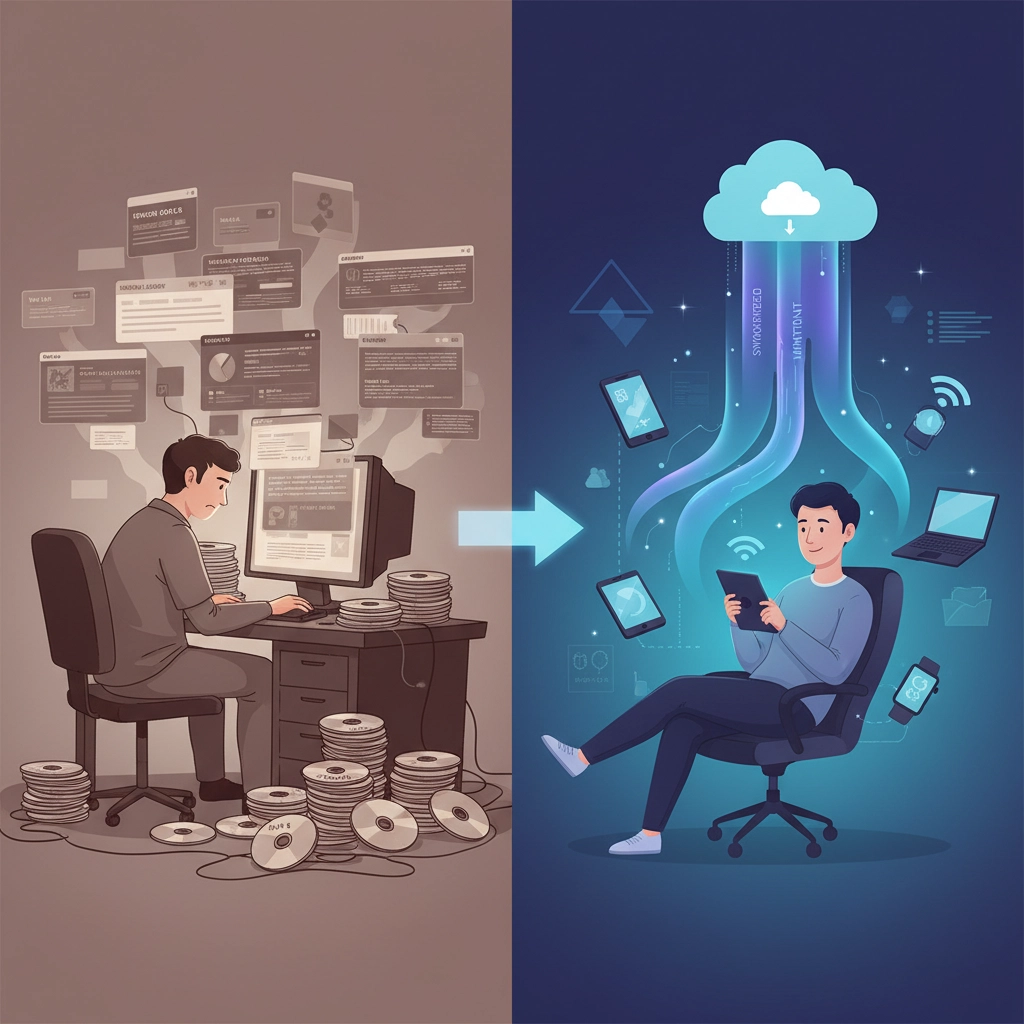
Here's where web applications shine brightest. Desktop applications require manual downloads, installations, and updates: creating version inconsistencies and logistical nightmares for large organizations. Each update requires coordinated deployment across multiple devices and platforms.
Web applications eliminate these headaches entirely. Users access them via browser URLs with zero installation requirements. Updates happen automatically on the server side, ensuring all users instantly receive the latest version. This seamless update process eliminates security vulnerabilities from outdated software and delivers consistent user experiences.
Platform Flexibility and Accessibility
Desktop applications lock users into specific machines and operating systems. Want to work from home, switch devices, or collaborate remotely? Desktop apps create significant barriers to flexible work arrangements.
Web applications provide complete platform freedom. Access your application from any internet-connected device: desktop, laptop, tablet, or smartphone: regardless of operating system. This flexibility proves essential for modern remote work environments and global teams.
Security Considerations: Control vs Convenience
Desktop applications store data locally, providing complete control over sensitive information. You eliminate third-party server risks and cloud storage vulnerabilities, maintaining direct oversight of your data security.
Web applications traditionally raised security concerns with external server storage, but modern security protocols have transformed this landscape. Enterprise-grade encryption, centralized security management, and professional monitoring capabilities often exceed what individual organizations can implement locally.
Desktop Application Advantages: When Raw Power Matters
✅ Superior Performance: Leverage your hardware's full potential for intensive computational tasks
✅ Complete Offline Functionality: Maintain productivity without internet connectivity concerns
✅ Enhanced Data Security: Local storage provides direct control over sensitive information
✅ Lower Long-Term Costs: Minimal ongoing expenses after initial development investment
✅ Resource Optimization: Direct hardware access maximizes efficiency for demanding applications
Our desktop app development services focus on maximizing these advantages while minimizing traditional desktop limitations.
Web Application Advantages: Flexibility and Scalability
✅ Cross-Platform Compatibility: Single development effort reaches all devices and operating systems
✅ Automatic Updates: Seamless version management across all users simultaneously
✅ No Installation Hassles: Instant access from any device with a browser
✅ Cost-Effective Scaling: Adding users doesn't dramatically increase infrastructure expenses
✅ Enhanced Collaboration: Real-time sharing and multi-user capabilities built-in
✅ Remote Work Ready: Perfect for distributed teams and flexible work arrangements

Strategic Decision Framework: Making the Right Choice
Choose Desktop Applications When:
- Maximum performance is non-negotiable for your operations
- Offline functionality is essential for business continuity
- Data security and local control are top priorities
- You can invest higher upfront costs for lower ongoing expenses
- Your team works primarily from fixed workstations
- You're building resource-intensive applications like CAD software, video editors, or complex analytical tools
Choose Web Applications When:
- Multi-device accessibility is crucial for your workflow
- Remote collaboration features are essential
- You prefer lower initial investment with predictable ongoing costs
- Rapid user scaling is anticipated
- Your operations don't require intensive computational power
- You need quick deployment and easy maintenance
The Hybrid Approach: Best of Both Worlds
Smart organizations increasingly implement hybrid strategies, utilizing desktop applications for performance-critical tasks while leveraging web applications for collaboration and accessibility. This approach maximizes efficiency while maintaining flexibility, combining desktop speed and offline capabilities with web accessibility and maintenance ease.
Progressive Web Apps (PWAs) represent another hybrid solution, delivering web application benefits with desktop-like performance and offline capabilities. These solutions bridge the gap between web app vs desktop app limitations.
Making Your Decision: Expert Guidance Available
The desktop application vs web application choice significantly impacts your business operations, costs, and growth potential. Consider your specific requirements, user needs, budget constraints, and long-term goals.
Need expert guidance evaluating web vs desktop application options for your business? Our team at Galalee Software Solutions™ specializes in helping organizations make strategic technology decisions that align with business objectives.
Whether you need web development services, desktop application development, or comprehensive software development solutions, we deliver tailored solutions that maximize your technology investment.
Ready to transform your business with the right application strategy? Contact our expert team today and let's build software that drives your success forward.







0 Comments